Free Mind Map Maker
A free, no-sign-up online tool for creating mind maps.
You can save your mind map as an image, or temporarily store and publish it on the web via URL.
You can save your mind map as an image, or temporarily store and publish it on the web via URL.
Please select a template
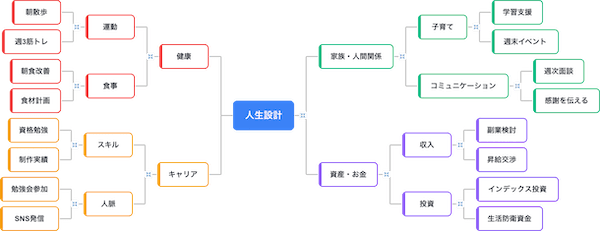
Default
A standard mind map format, ideal for brainstorming and organizing your thoughts.
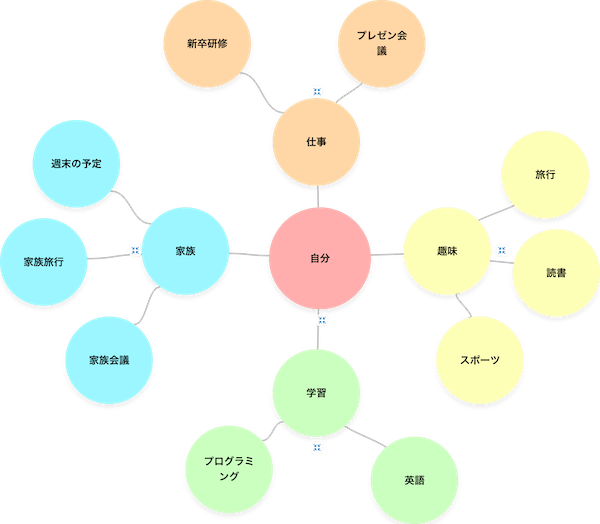
Pop (Bubble)
With free placement and circular nodes, it is suited to expanding creative ideas.
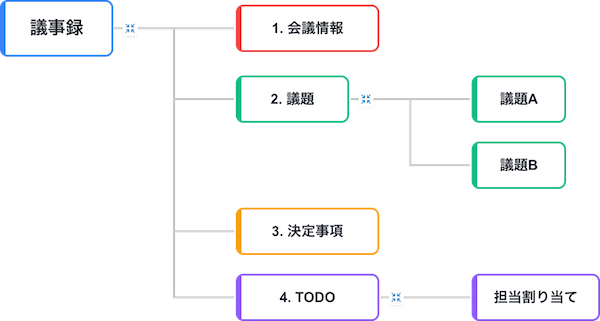
File Structure (Minutes)
With a clear hierarchical structure, it is suited to organizing org charts, directory structures, and meeting minutes.
Frequently Asked Questions
How to Use Free Mind Map Maker
1
Add elements
Add nodes (elements) to the canvas and position them freely by dragging. Double-click to edit the label or content.
2
Edit relationships
Connect elements with lines to define their relationships. You can also customize the labels, colors, and styles of the lines.
3
Download the image
Save your finished diagram as an image in PNG, JPEG, or SVG format. You can also save it temporarily on the web or share it via URL.